Skip to content
FamilyDock

For families and co-parents 💜

A family without chaos. A child at ease.

A working family or divorced parents? FamilyDock is one calm place for the calendar, custody schedule, expenses and kids' tasks.

Get it onGoogle Play

First get the app on Google Play and create your account there — then sign in here with the same account.

  • Free core
  • No ads
  • Data in the EU

Sound familiar?

  • Is family logistics wearing you down?
  • Done arguing over pickups and payments?
  • Want your child to feel at home with mom and dad?

Who is FamilyDock for?

Everyday family

One place instead of three apps and fridge notes: a shared calendar everyone sees, the family budget, shopping lists connected to meal plans, and chores with rewards kids actually enjoy completing.

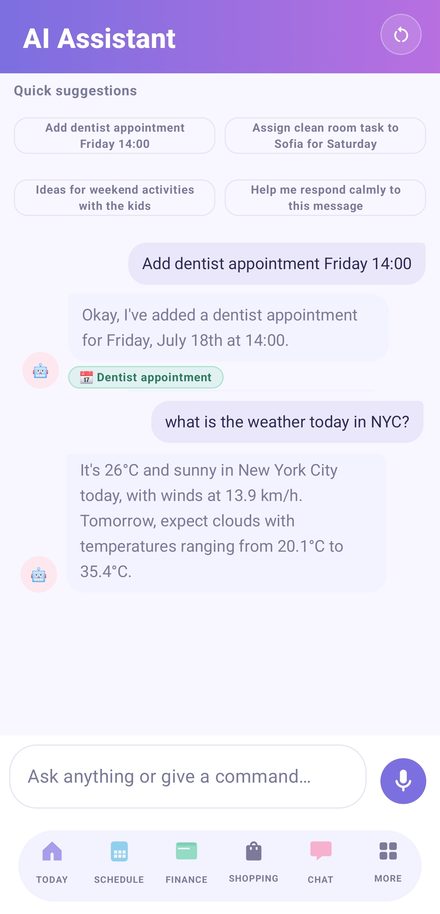
The AI assistant adds events by voice, answers "When is the dentist?" and suggests weekend activities with the kids.

Less organizing stress means more calm time together — kids feel it first.
Co-parents

Custody at a glance — the child and both parents always know whose day it is and when the next handover comes. Kids' expenses settle automatically and fairly (50/50 or a ratio you agree on), documents and communication stay in one place instead of heated text messages.

The AI assistant answers "When is Janka's dentist?" — and can even help you phrase a calm reply to the other parent.

Everything is built so the child feels secure and at peace in both homes.

See FamilyDock in action

A short video showing how the app works on an ordinary family day.

Everything a family needs

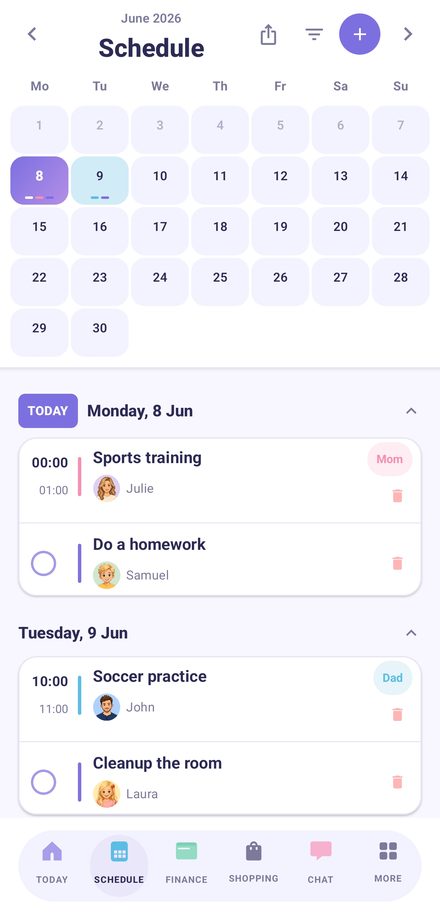
FamilyDock — A calendar that understands the whole family — and custody

A calendar that understands the whole family — and custody

Color-coded weeks show at a glance where the kids are — week on/off, 2-2-3 or your own pattern with exceptions.

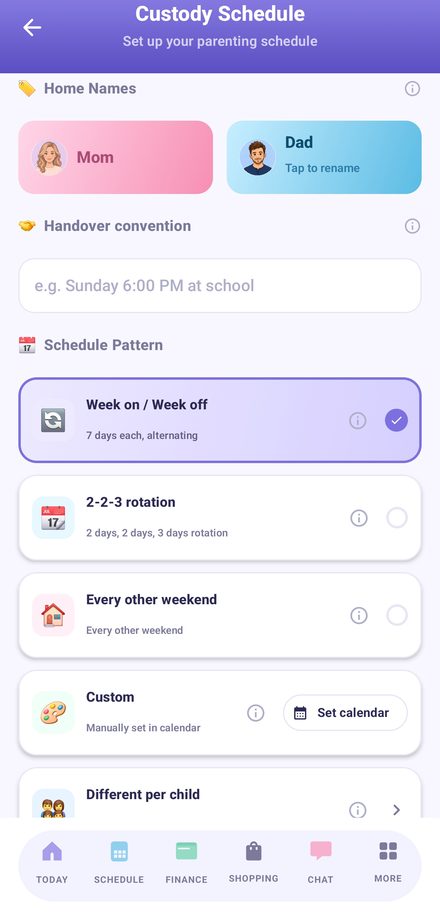
FamilyDock — Custody schedule in minutes

Custody schedule in minutes

Pick a pattern, name the two homes, set the handover — and every event lands on the right parent automatically.

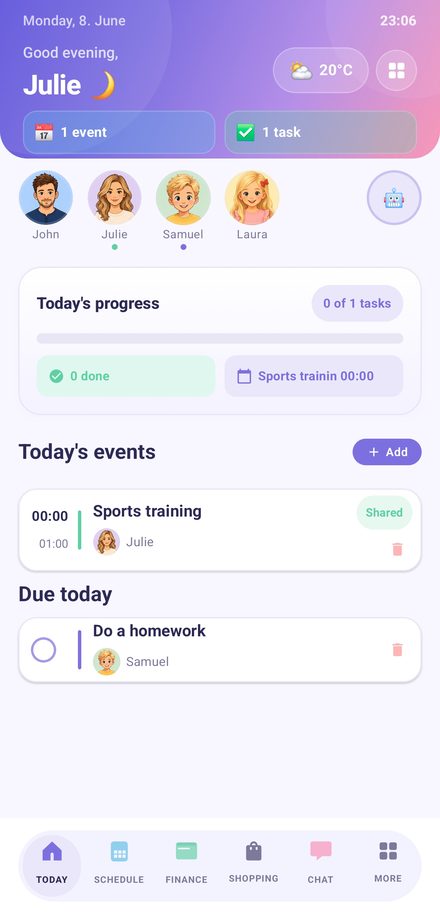
FamilyDock — Kids are part of the family

Kids are part of the family

Their own profile, tasks and rewards you set yourself — children see their day at mom's and at dad's and feel secure in both homes.

And plenty more

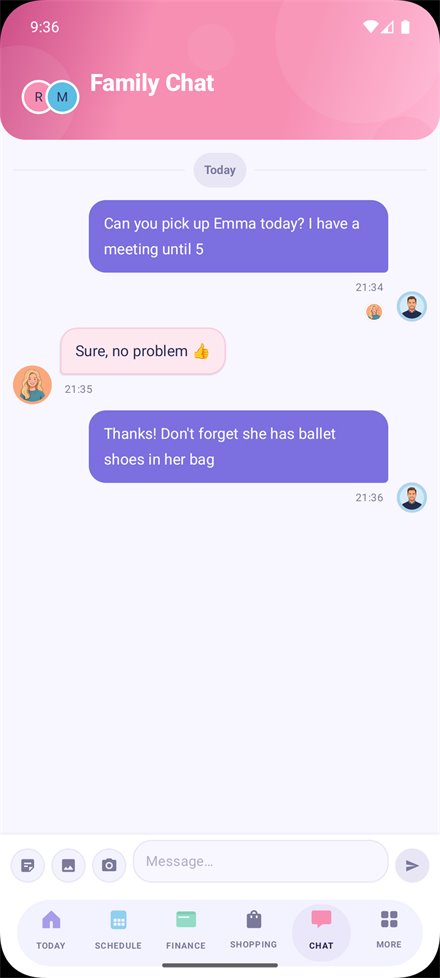
FamilyDock — Talk logistics, not conflicts

Talk logistics, not conflicts

Family chat keeps pickups, ballet shoes and doctor visits in one thread — not scattered across angry text messages.

FamilyDock — Shopping connected to cooking

Shopping connected to cooking

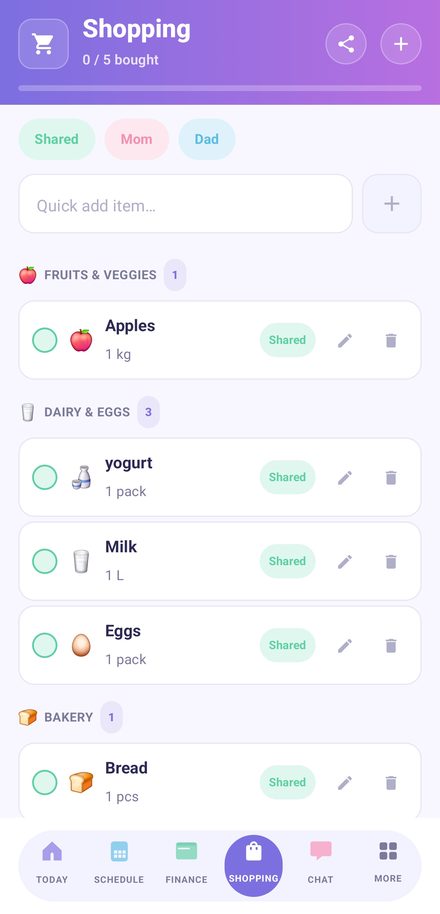
Jot down what to buy in a second — and when you plan a meal, its ingredients jump straight into the shared shopping list. Anyone can tick things off in the store.

FamilyDock — Finances in one place

Finances in one place

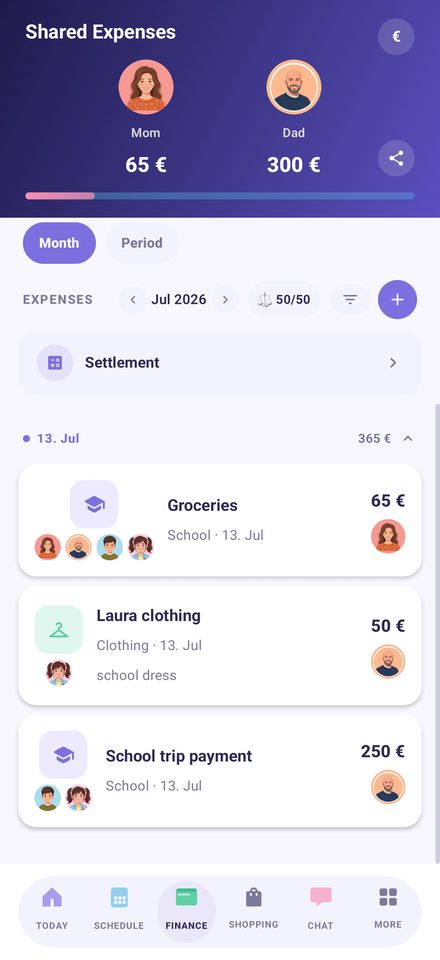
Family budget and kids' expenses, clear and simple — who paid, how much and what for. No spreadsheets needed.

FamilyDock — Shared albums

Shared albums

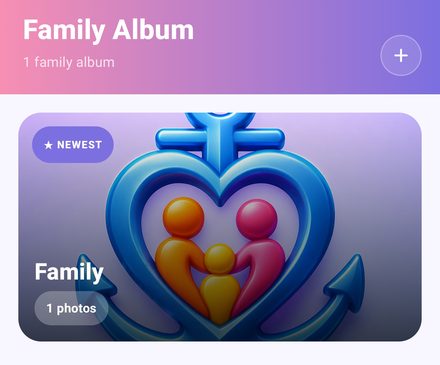
Photos from both homes in one place — memories don't get split.

FamilyDock — Family AI assistant

Family AI assistant

Ask "When is Janka's dentist?" or "How much did we spend on school?" — and add events by voice or text.

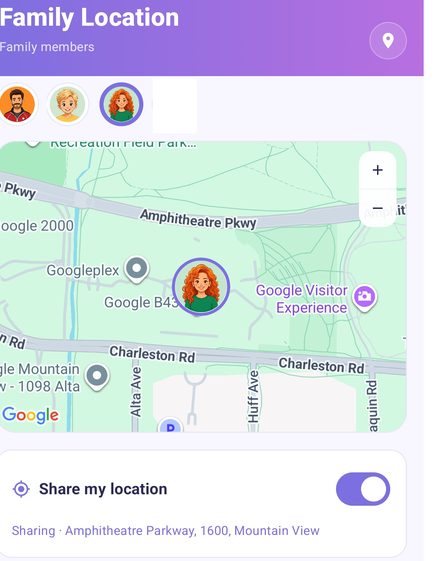
FamilyDock — Location sharing

Location sharing

See your children's location with their consent — peace of mind on the way to school or around handover. Off until you turn it on.

Why FamilyDock?

Less arguing

Logistics live in the app, not in heated messages.

Security for the child

Kids always know when they are with mom and when with dad.

Fairness

Expenses and duties split transparently — 50/50 or any ratio you agree on.

Frequently asked questions

Is FamilyDock free?

Yes, the basic version is free and ad-free. It includes the calendar, tasks, shopping lists and the family chat.

Does it work if we're an ordinary family without shared custody?

Yes. Shared custody is optional — leave it off and FamilyDock works as a shared family calendar, budget and task list.

Where is our data stored?

Your data is stored in the European Union. Location sharing is off by default and is only enabled with your consent and your child's.

How do I set up the custody schedule?

Pick a pattern (week-on/week-off, 2-2-3 or custom), name the two homes and set the handover time. Every event is then assigned to the right parent automatically.

Why do I have to sign up in the mobile app first?

The account is created in the app from Google Play. You then sign in here, to the web version, with the same account.

Ready for a calmer family?

Get it onGoogle Play

First get the app on Google Play and create your account there — then sign in here with the same account.

  • Free core
  • No ads
  • Data in the EU